What Is CuePlayer?
CuePlayer is a practice player for repeating exact parts of a song. Open a track, mark the section you need, and play that section again without dragging through the full song every time.
Use it when the useful unit is smaller than the song: an eight-count, a bar, a line, an entrance, a transition, or one difficult pronunciation.
The Basic Workflow
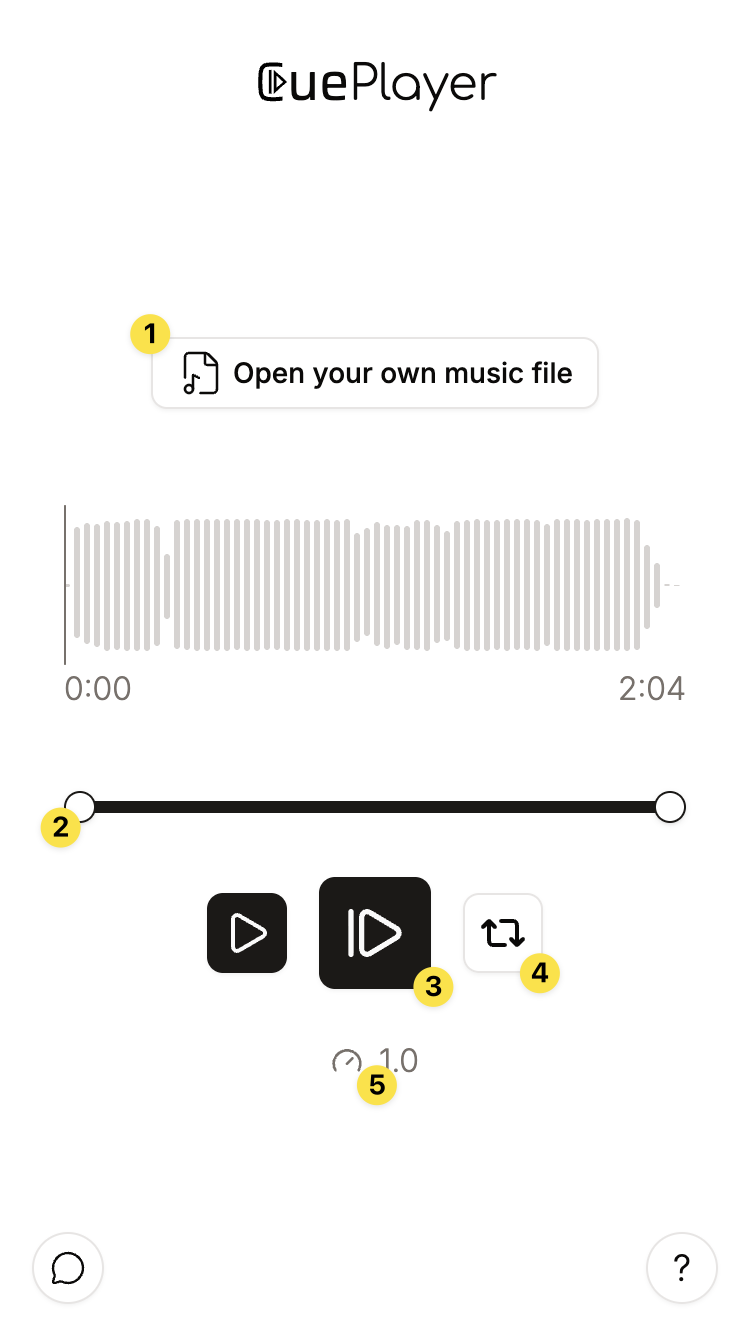
- Open or upload a song.
- Drag the phrase handles to set the start and end.
- Press the main play button to start from the phrase start.
- Turn looping on when you want repetition.
- Slow the song down while you learn the movement, notes, or words.
Local Or Cloud
Use Local when you need a quick local-file practice session and do not need anything saved. Use Cloud when you want your songs, phrases, and folders ready the next time you open CuePlayer.
The player behavior is intentionally similar in both versions. The main difference is what happens around the player: Local is temporary, Cloud is a saved library.